
AQUARIUM PHOTOGRAPHY & TANK CAMS
SHARPER REEF PHOTOS, AND A LIVE VIEW FROM ANYWHERE
Reef tanks are hard to photograph. Blue lighting turns everything blue, the glass throws back reflections, and a phone held in your hand shakes just enough to blur a close-up. And once you leave the house, you can’t see the tank at all.
AvidAqua makes two magnetic camera mounts for those problems. The AvidCam holds your phone, GoPro or camera steady against the glass for photos, video and live streams. The WMNT turns an affordable Wyze Cam v4 into a live tank camera you can check from anywhere.
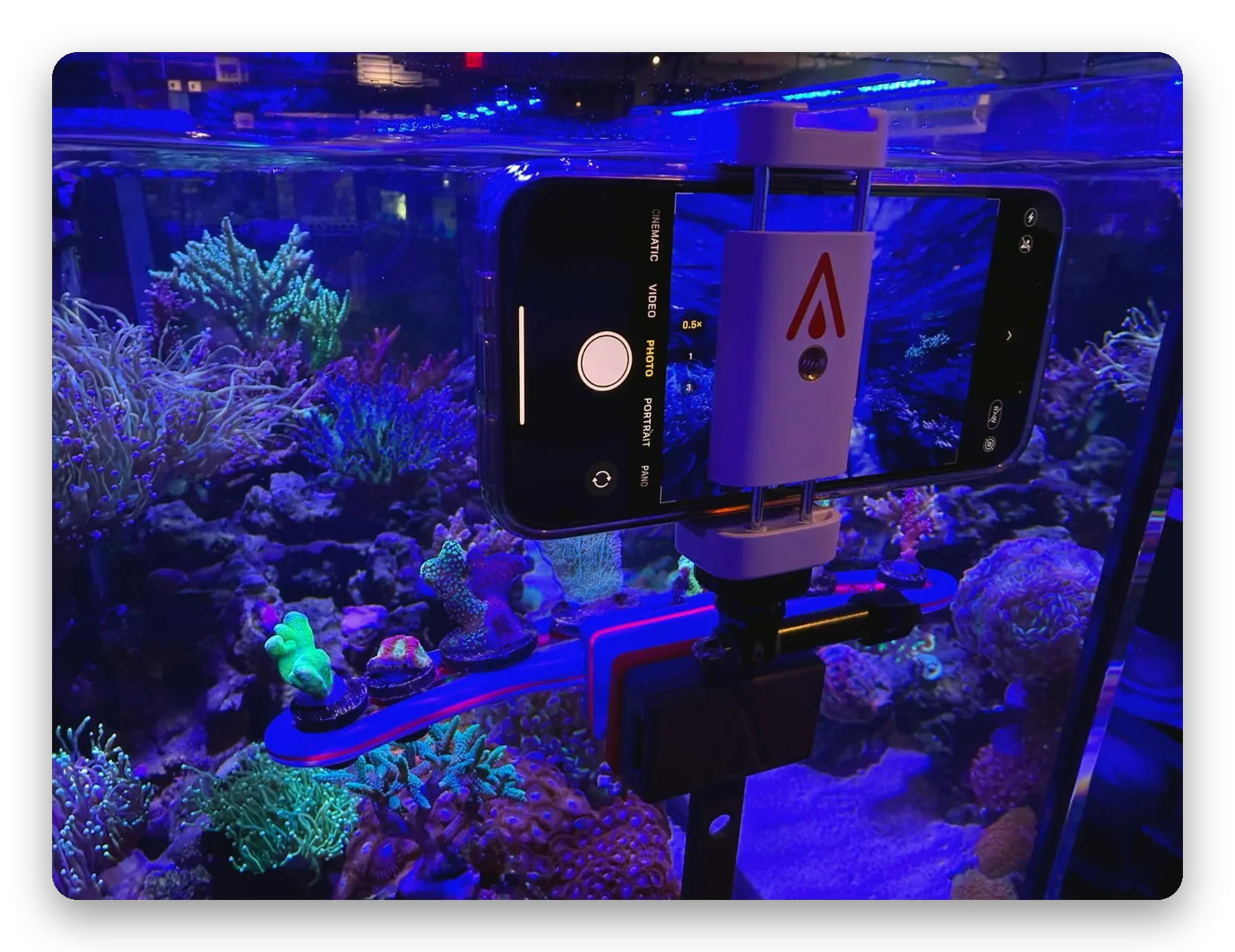
AVIDCAM: YOUR PHONE OR GOPRO, STEADY ON THE GLASS
The AvidCam attaches to the glass with a sealed ModMag magnet. Your phone, GoPro or 1/4″-thread camera rides on the AvidRail, which slides through the magnet so you can raise or lower the camera until the shot is framed. The phone holder takes most phones, horizontal or vertical.
> Steady photos and video, without shaky hands or spooked fish
> Turn a spare phone or GoPro into a tank cam while you’re away
> Keep an eye on equipment and water level in the sump
> Glass or acrylic up to 1/2″ (13mm), or 3/4″ (19mm) with the ModMag Giga
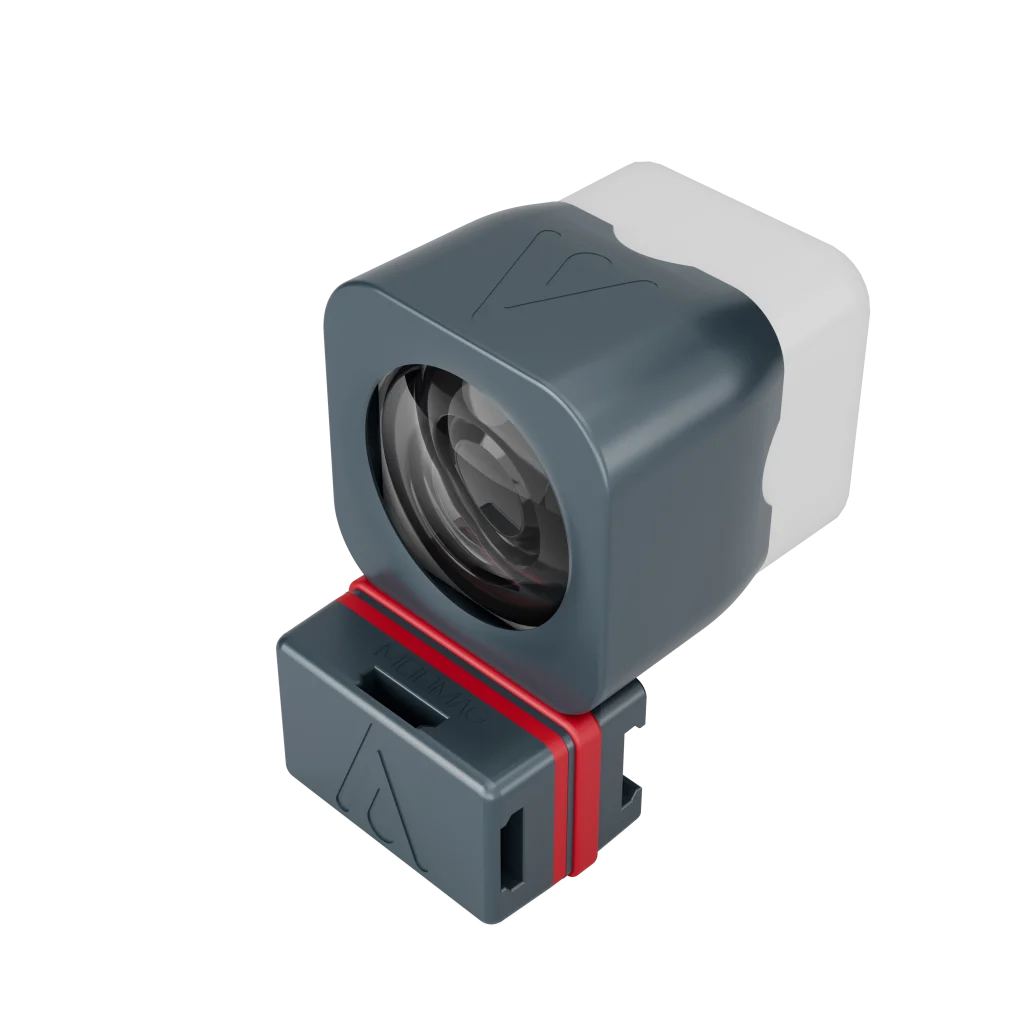
WMNT: TURN A WYZE CAM V4 INTO A TANK CAM
The WMNT holds a Wyze Cam v4 against the glass, so you can watch your reef live in the Wyze app from anywhere in the world. Most webcams can’t focus up close, so the WMNT includes a close-focus lens that shortens the Wyze Cam’s focus distance from about 36″ to about 9″, plus a BlueBalance filter that takes the excess blue out of the picture under blue reef lighting.
> Mounts on glass or acrylic up to 1/2″ (13mm)
> Move it anywhere on the tank in seconds: no tools, no suction cups
> Wyze Cam v2 and v3 fit too (camera not included)
HOW TO TAKE BETTER PHOTOS OF YOUR REEF TANK
- Fix the blue. Switch your lights to a photo or full-spectrum mode if they have one, or shoot through an orange filter. Then fine-tune the white balance in your camera or editing app; a white frag plug in the shot makes a good reference.
- Shoot straight through the glass. Hold the lens square to the glass and close to it; shooting at an angle distorts the picture and softens it.
- Get rid of reflections. Turn off room lights and screens behind you, and put the lens right against the glass. A mount like the AvidCam does this for you.
- Clean the glass inside and out, and let the water clear after cleaning or feeding.
- For top-down shots, turn off pumps and wavemakers for a minute so the surface is still, then turn them back on.
- Keep the camera still. Use a mount or tripod, tap to focus on your subject, and use the self-timer so touching the phone doesn’t shake it. For moving fish, use burst mode and keep the best shot.
- Get closer instead of zooming. Use your phone’s macro mode or a clip-on macro lens rather than digital zoom.
WATCHING YOUR TANK WHILE YOU’RE AWAY
A live tank cam is the easiest way to check on fish, corals, water level and equipment from work or on vacation. Point it at what you’d look at if you were home: the display tank, or the sump for water level, the skimmer and the return pump.
With the WMNT, a good place to start is the middle of an end panel, looking down the length of the tank. Because the ModMag lets you move the camera in seconds, it’s easy to try a few spots.
If you run an aquarium controller, it can tell you something is wrong; a camera lets you see what it is. See our aquarium monitoring add-ons.
Aquarium photography and tank cam questions
How do I get rid of the blue in my reef tank photos?
Most of the blue comes from actinic lighting. Switch your lights to a photo or full-spectrum mode if they have one, or shoot through an orange filter, then adjust the white balance in your camera or editing app. For a Wyze Cam, the WMNT’s included BlueBalance filter screens out excess blue light so the live view shows truer color.
What’s the best camera to watch my tank remotely?
An inexpensive Wi-Fi security camera, such as the Wyze Cam v4, works well; you watch it in the camera’s app from anywhere. Two things trip up most tank cams: they can’t focus a few inches from the glass, and blue reef lighting tints the picture. The WMNT mount fixes both with a close-focus lens and a BlueBalance filter, and holds the camera on the glass with a sealed magnet.
Can I use my phone as a tank camera?
Yes. The AvidCam holds most phones, horizontal or vertical, on the aquarium glass, so a spare phone can stream or record your tank. It also holds a GoPro or any camera with a 1/4″ tripod thread.
Why is my tank camera blurry up close?
Most webcams and security cameras are made to focus across a room, not on a coral a few inches away. The Wyze Cam focuses at about 36″; the close-focus lens included with the WMNT shortens that to about 9″, so corals and fish near the glass are sharp.
Can I put a camera in the sump?
Yes. The AvidCam and the WMNT both attach with the ModMag, so they can mount on sump glass to watch the water level, skimmer and return pump.
Will a magnetic camera mount hold on my glass?
The AvidCam and WMNT hold on glass or acrylic up to 1/2″ (13mm) thick. For the AvidCam on thicker glass, use the ModMag Giga, which is rated for up to 3/4″ (19mm).
Ready for better shots of your reef?
The AvidCam and WMNT are sold by Bulk Reef Supply, SaltwaterAquarium.com, Top Shelf Aquatics and reef stores across the US.
Where to buy